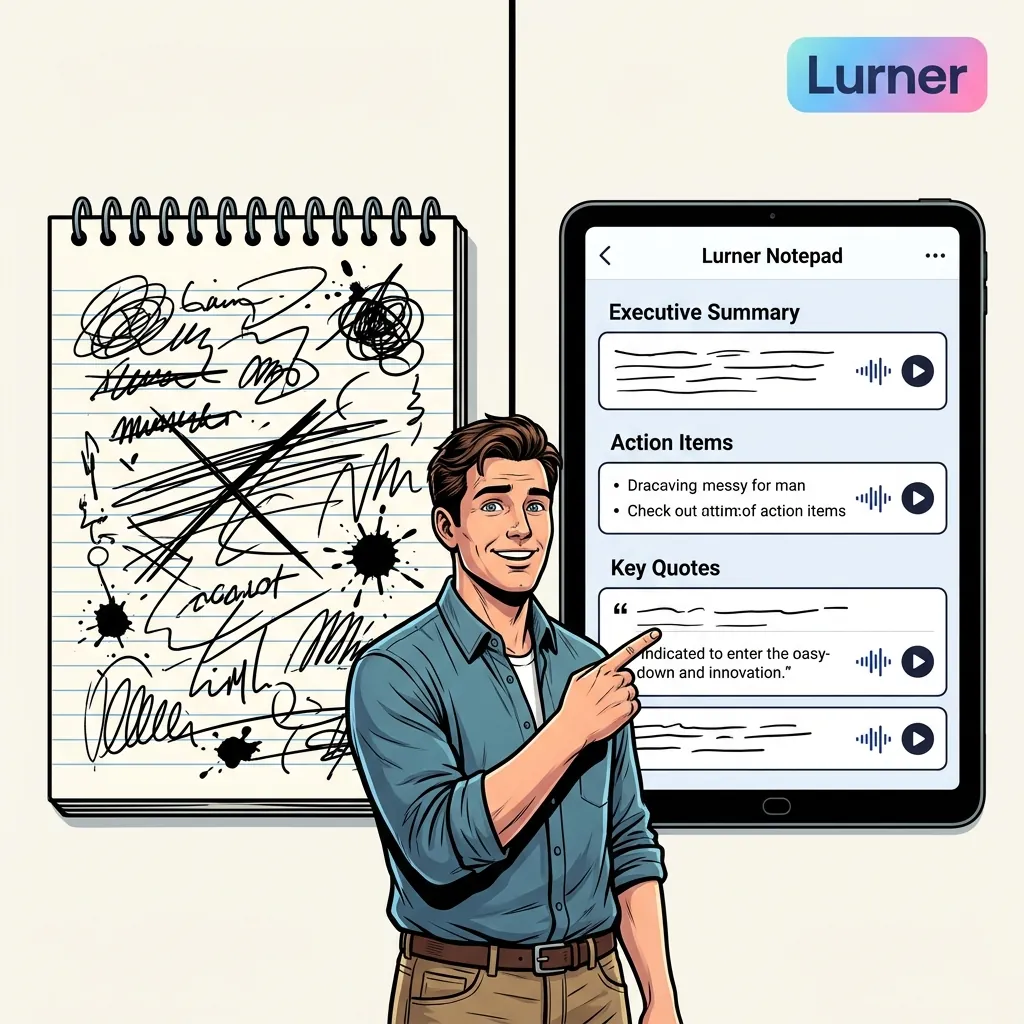
TL;DR: better meeting notes are timestamped knowledge
Automated transcripts are useful, but they are not enough. The best AI meeting notes connect your rough jottings, the full conversation, decisions, action items, and source timestamps into one searchable knowledge base. That is how a meeting becomes reusable memory instead of another forgotten recording.
- Bad meeting notes capture words but lose context, ownership, and decisions.
- Good AI meeting notes summarize key points, extract action items, and link back to the exact timestamp.
- Lurner adds the missing layer: meetings become part of your broader knowledge base, connected to notes, docs, and prior decisions.
Meetings create some of the most valuable knowledge in a company: decisions, objections, risks, commitments, tradeoffs, customer language, and strategic context. Strangely, they also create some of the worst documentation. Everyone leaves with a slightly different memory of what happened, and a week later the transcript is too long to read.
This is why people search for "AI meeting notes", "automated meeting notes", "meeting summary with timestamps", "AI action items from meetings", and "meeting transcript summarizer". They are not looking for prettier notes. They are trying to solve a deeper problem: how do you make live conversation searchable, trustworthy, and useful after the call ends?
Why meeting notes usually fail
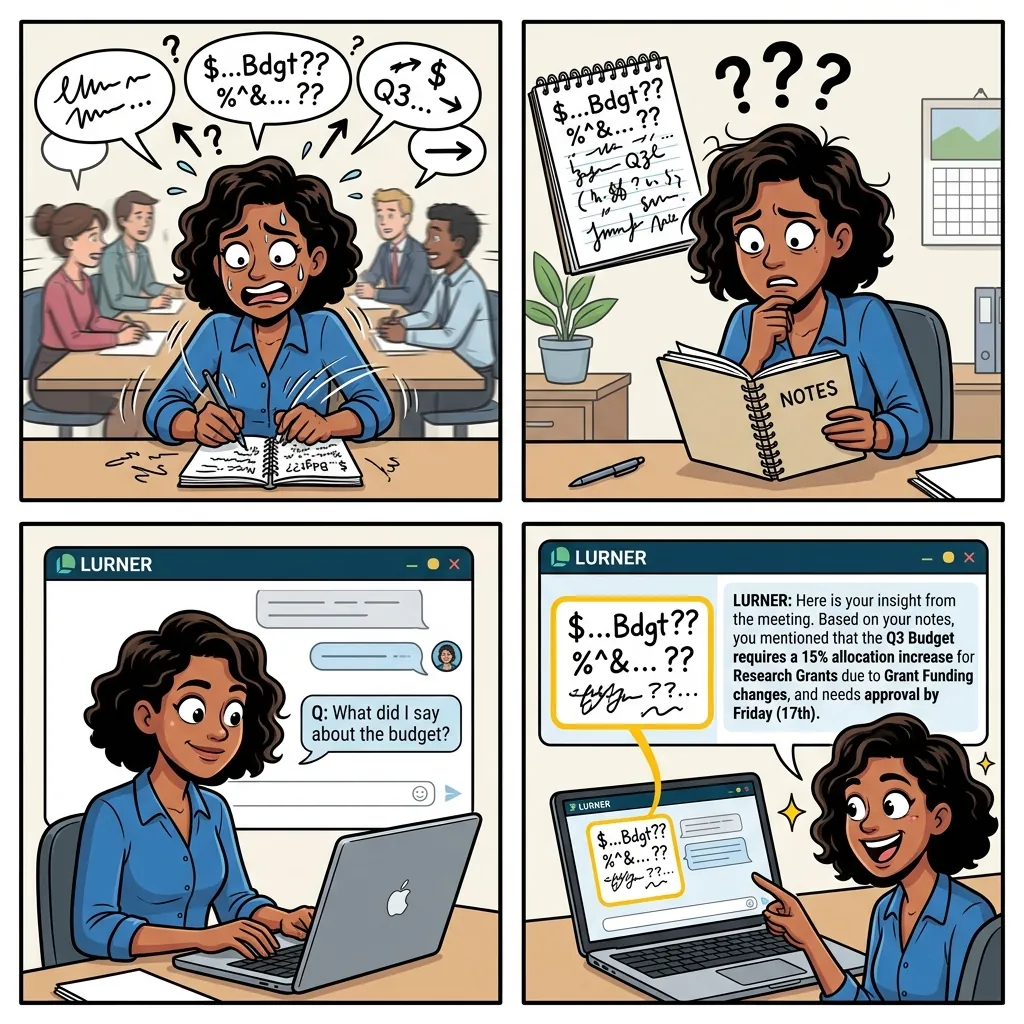
Most meeting documentation breaks because it treats the meeting as a file, not a knowledge event. A transcript records everything but prioritizes nothing. Manual notes prioritize what the note-taker noticed but miss nuance. A task list captures what should happen next but often loses the reasoning behind the action.
| Meeting artifact | What it captures | Why Lurner is better |
|---|---|---|
| Raw transcript | Every spoken word | Timestamped markers for easy scanning |
| Manual notes | In-the-moment focus | Audio-synced context and structure |
| Action list | Tasks and owners | Preserves discussion and decision rationale |
| AI summary | Compressed version | Fully queryable across your entire library |
The real goal is not to produce a document called "meeting notes." The goal is to preserve context well enough that someone can make a better decision next week. That requires structure, timestamps, and a way to query across meetings.
The best AI meeting notes have five parts
A useful meeting note is not just a summary. It is a structured memory object. If you want notes that people actually use, make sure each meeting produces these five layers.
-
1
A short executive summary
Three to six bullets that explain what changed because the meeting happened. Not a recap of every topic, but the meaningful outcome.
-
2
Decisions and rationale
What was decided, why it was decided, what alternatives were rejected, and which timestamp proves the decision.
-
3
Action items with owners
Tasks should include owner, due date if mentioned, dependency, and the timestamp where the commitment was made.
-
4
Open questions and risks
The best notes preserve uncertainty. Capture what the team did not know, what might break, and who is responsible for resolving ambiguity.
-
5
Searchable source citations
Every important note should point back to the exact moment in the recording or transcript. This turns a summary into a trustworthy record.
Simple rule: If a note cannot answer "who said this, when, and what evidence supports it?" it is not ready to become team memory.
Why timestamps matter more than transcripts
Timestamps are the bridge between summary and trust. Without them, an AI summary is just another interpretation. With them, every claim becomes inspectable. You can jump back to the exact moment where a customer objected, a founder made a decision, or a manager assigned an action item.
This is especially important when meetings are used as evidence. Sales teams need accurate customer language. Product teams need the reason behind roadmap choices. Consultants need a clean record of client commitments. Students and researchers need to revisit the exact explanation from a lecture or interview.
Verification
Check exact moments behind decisions instead of trusting a compressed summary.
Speed
Jump to the relevant moments instead of scanning a 12,000-word transcript.
Accountability
Track commitments, dates, and the assumptions attached to every task.
The Lurner workflow: from messy jottings to queryable meeting memory
Lurner's Notepad is built for the messy middle of real work. You can jot rough bullets while recording, then let AI structure the conversation after the fact. The important part is that your notes and the source recording remain connected.
Step 1: Capture rough thoughts
Do not try to write perfect notes live. Capture markers: "pricing concern," "legal risk," "customer hates setup," "follow up with Rahul," "possible Q3 delay." These rough jottings are valuable because they show what felt important in the moment.
Step 2: Structure the recording
After the meeting, Lurner turns the recording into a structured summary: key themes, decisions, action items, risks, and open questions. Instead of treating your transcript as a giant text dump, it becomes a navigable source.
Step 3: Link jottings to source
When your note says "too expensive," the useful question is: who said it, what were they reacting to, and what did the team decide next? Timestamped citations let you move from the jotting to the actual context.
Step 4: Query across meetings
Once meetings become part of your knowledge base, you can ask questions across months of conversations: "What pricing objections appeared in Q1 calls?" "Which action items are still unresolved?" "When did we first discuss changing the onboarding flow?"
Make every meeting searchable.
Upload recordings, capture jottings, extract decisions, and get timestamped answers from your meeting history.
Try Lurner NotepadPractical meeting note templates you can use immediately
The easiest way to improve your meeting notes is to use a consistent structure. Here are three templates that work well with AI because they separate signal from noise.
Decision meeting
Decisions made, options considered, rejected alternatives, and timestamped evidence.
Customer call
Goal, exact pain language, objections, feature requests, and emotional triggers.
Research interview
Core concepts, definitions, source references, and unanswered questions.
Prompts for better AI meeting summaries
Generic prompts produce generic summaries. Better prompts ask the AI to preserve decisions, uncertainty, and proof.
Action item prompt
"Extract action items. Include owner, deadline, dependency, and timestamp. Mark unresolved owners."
Decision audit
"List every decision. Summarize rationale, objections, and the confirmation timestamp."
Synthesis prompt
"Search meetings about [topic]. What themes repeat and which decisions changed over time?"
Common mistakes with AI meeting note tools
AI meeting assistants are powerful, but they can make teams lazy if the workflow is wrong. Avoid these mistakes if you want notes that actually improve decisions.
Summaries vs truth
A summary is useful, but a timestamped summary is trustworthy. Always preserve the path back to source.
Capturing everything
Goal is retrieval, not maximum capture. Prioritize decisions, actions, risks, and reusable context.
Isolating notes
Meetings often reference docs and data. Notes should connect to the wider knowledge base.
Skipping drafts
Use the writing assistant to turn notes into team recaps or project briefs while context is fresh.
Stop losing decisions in transcripts.
Lurner turns recordings and rough notes into timestamped, queryable meeting knowledge your team can reuse.
Build your meeting memorySources and further reading
- Microsoft Work Trend Index: Will AI Fix Work? - useful context on inefficient meetings as a major productivity disruptor.
- Harvard Business Review: The Psychology Behind Meeting Overload - a practical look at why teams create and attend too many meetings.
- Meeting Bridges: Designing Information Artifacts that Bridge from Synchronous Meetings to Asynchronous Collaboration - research on turning meetings into reusable collaboration artifacts.
FAQ: AI meeting notes, timestamps, and searchable meeting memory
What are AI meeting notes?
AI meeting notes are structured summaries generated from a meeting recording, transcript, or live conversation. The best versions extract decisions, action items, risks, open questions, and timestamped evidence.
Are transcripts enough for meeting documentation?
Usually not. Transcripts are valuable as source material, but they are too long for everyday use. Teams need structured summaries with timestamps so they can verify the important moments quickly.
How do I get action items from a meeting recording?
Upload the recording to a tool that supports meeting intelligence, then ask for action items with owner, deadline, dependency, and timestamp. If any of those fields are missing, ask the AI to mark them as unclear instead of guessing.
Can Lurner search across multiple past meetings?
Yes. Lurner turns meetings into part of your broader knowledge base, so you can query across past calls, docs, notes, articles, and videos. That makes it useful for decision tracking and long-running projects.
What should I write during a meeting if AI is recording it?
Write short markers, not polished notes. Capture moments that feel important: objections, decisions, risks, customer language, follow-ups, and surprising ideas. AI can expand and structure them after the meeting.
Can AI meeting notes help students and researchers too?
Yes. The same workflow works for lectures, interviews, seminars, and research calls. Timestamped notes make it easier to revisit explanations, quote accurately, and build study guides from recorded material.