
TL;DR: ChatGPT for ideas, grounded AI for evidence
ChatGPT is powerful for brainstorming, drafting, explaining, and exploring unfamiliar topics. But when the job requires evidence, citations, page numbers, timestamps, or decisions based on private documents, you need source-grounded AI. Lurner is built for that second job: answering from your own knowledge base with verifiable source citations.
- Generic chat AI optimizes for fluent, helpful responses across many tasks.
- Source-grounded AI constrains answers to selected sources and shows where claims came from.
- The best workflow is not either/or: brainstorm broadly, then verify and write from a cited knowledge base.
The biggest mistake in AI research is treating a confident answer as a verified answer. Large language models can be astonishingly useful and still be wrong in ways that look polished. That is not a moral failure of the model. It is a workflow problem for the user.
People now search for "AI that cites sources", "source-grounded AI", "ChatGPT hallucinations", "AI research assistant with citations", "RAG vs ChatGPT", and "chat with PDF citations" because they have felt the gap. A general chatbot can help you think. But serious research, legal work, medical study, strategy, consulting, and academic writing need a second layer: evidence you can inspect.
What is source-grounded AI?
Source-grounded AI is an AI workflow where answers are generated from a defined set of sources instead of relying only on broad model knowledge. In Lurner, those sources can be PDFs, YouTube videos, articles, meeting recordings, audio, voice memos, and your own notes.
The key difference is not that the AI has "access" to a file. Many tools can upload a file. The difference is that the answer remains tied to the file. A useful grounded answer should tell you: which source supports this claim, where in the source it appears, and how to verify it.
| Question | Generic ChatGPT-style | Source-grounded Lurner |
|---|---|---|
| Answer source | General model knowledge | Your selected source library |
| Verification | Often hard to verify | Yes, with page, timestamp citations |
| Best use | Brainstorming, general drafting | Research, analysis, cited writing |
| Main risk | Hallucinations | Incomplete library |
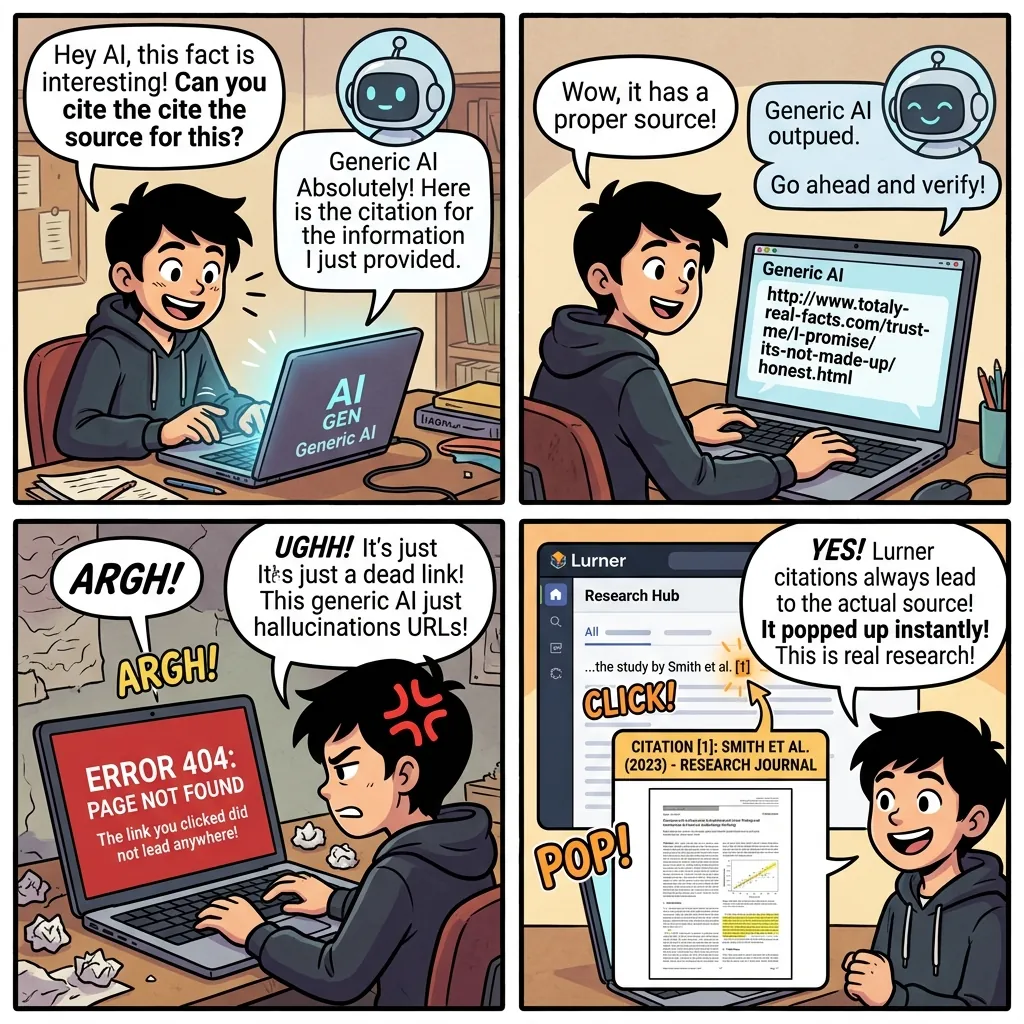
Why AI hallucinations matter in real work
An AI hallucination is not always dramatic. It may be a slightly wrong statistic, an invented citation, a misremembered detail, a confident summary of a document that says something else, or a legal-sounding phrase that is not actually supported by the source. The danger is fluency. Bad information often arrives in the same polished tone as good information.
OpenAI has described hallucinations as a persistent problem partly because many evaluation systems reward guessing over saying "I do not know." That framing is useful for users too. If your workflow rewards fast answers more than verifiable answers, you will eventually trust something you should have checked.
Academic risk
Fake citations or unsupported summaries can weaken literature reviews and research briefs.
Business risk
Strategy decisions based on misquoted customer feedback can send teams in the wrong direction.
Trust risk
Once a team catches one invented claim, every future AI output becomes harder to trust.
This is why the future of AI knowledge work is not just "better models." It is better systems around the model: source selection, retrieval, citations, uncertainty, and verification.
RAG vs ChatGPT: the workflow difference
RAG stands for retrieval-augmented generation. In plain English: before the AI writes an answer, it retrieves relevant passages from a source collection. The generation step is then anchored to retrieved evidence. This does not magically make every output perfect, but it gives the user a way to inspect the evidence behind the answer.
Lurner applies this idea to personal and professional knowledge work. Instead of asking a general model to remember everything, you build a source library inside Lurner's knowledge base, then ask questions across that library.
-
1
Ingest trusted sources
Add PDFs, recorded meetings, YouTube lectures, articles, voice notes, or raw notes. These become the source base for future answers.
-
2
Retrieve relevant evidence
When you ask a question, Lurner finds the passages, pages, timestamps, and notes most likely to support an answer.
-
3
Generate a cited synthesis
The AI writes a useful answer while preserving citations so you can verify the exact source behind each key claim.
-
4
Turn verified knowledge into output
Use the Writing Assistant to turn cited research into reports, essays, emails, briefs, or content without losing the source trail.
Important distinction: Source-grounding does not mean "never check anything." It means checking becomes fast, direct, and built into the workflow.
When to use ChatGPT, Perplexity, NotebookLM, or Lurner
The smartest AI users do not force one tool to do every job. They match the tool to the source of truth.
| Use case | Best tool type | Why |
|---|---|---|
| Brainstorming | General chat AI | You need breadth and creative exploration |
| Finding public info | AI search engine | You need current web discovery with citations |
| Studying sources | Notebook-style tool | You need focused exploration of selected materials |
| Drafting from library | Lurner | You need multi-format knowledge plus writing layer |
If your main question is "What is happening on the web right now?", use public search. If your main question is "What do my sources say, and where can I verify it?", use Lurner. For a deeper comparison, see Perplexity for personal files and Lurner vs NotebookLM.
Build AI answers you can inspect.
Add your PDFs, meetings, videos, articles, and notes to Lurner. Ask questions. Get cited answers with source receipts.
Try source-grounded AIA safer research workflow with AI
You do not need to stop using general AI tools. You need a workflow that separates ideation from verification.
1. Explore broadly
Use ChatGPT or public AI search to map the topic, identify unknowns, and generate candidate questions.
2. Collect trusted sources
Save primary sources, papers, recordings, meeting notes, lectures, and articles into a focused Lurner workspace.
3. Ask evidence-seeking questions
Use prompts like "What does the source actually say?", "Which page supports this?", and "Where do these sources disagree?"
4. Draft with citations attached
Turn verified notes into a report, article, or brief. Keep citations close to the claims so review is easy.
Prompts that reduce hallucination risk
Better prompts do not eliminate the need for verification, but they encourage the AI to separate evidence from inference.
Evidence-only prompt
"Answer using only my uploaded sources. If the sources do not support a claim, say so. Cite the page or timestamp for each key point."
Disagreement prompt
"Where do these sources disagree? Separate consensus, conflict, and uncertainty. Cite each source directly."
Citation audit prompt
"Review this draft. For each factual claim, tell me whether it is supported by my sources, unsupported, or needs a stronger citation."
Sources and further reading
- OpenAI: Why language models hallucinate - useful context on why confident guessing remains a challenge for language models.
- NIST: Trustworthy and Responsible AI - background on transparency, accountability, reliability, and trustworthy AI characteristics.
- NIST: AI Explainability - explains why understanding AI outputs matters for trust and adoption.
FAQ: source-grounded AI, ChatGPT, citations, and hallucinations
What is source-grounded AI?
Source-grounded AI answers from a defined source collection and cites the evidence behind its claims. In Lurner, that collection can include PDFs, videos, meeting recordings, articles, notes, and audio.
Is source-grounded AI the same as RAG?
RAG, or retrieval-augmented generation, is one technical pattern used to ground answers in retrieved source material. Source-grounded AI is the user-facing workflow: answers should be traceable to sources you can inspect.
Does Lurner replace ChatGPT?
No. ChatGPT is useful for many general tasks. Lurner is for moments where your own sources are the source of truth and you need citations, timestamps, and a durable knowledge base.
Can grounded AI still make mistakes?
Yes, which is why citations matter. Grounding reduces blind trust by making the evidence visible, but users should still verify important claims, especially in high-stakes work.
What is the best AI tool for research with citations?
The best tool depends on the source base. For public web research, use an AI search engine. For your PDFs, meetings, videos, notes, and saved articles, use a source-grounded workspace like Lurner.
How do I stop AI from inventing citations?
Ask the AI to answer only from uploaded sources, require page or timestamp citations, and verify any citation before using it. A tool like Lurner makes that process faster because citations point directly to your source material.